

Introduction
Most ribbon problems are ordering problems. A ribbon that is the wrong width, wound the wrong way or built for a different printer will not print properly, however good the ribbon itself is.
For businesses buying Thermal Transfer Ribbons, the specification matters as much as the ribbon type. This guide explains the details printed on a ribbon box and how to check them against your printer and labels. If you first need to understand wax, resin and wax-resin ribbons, read our guide on what thermal transfer ribbons are and how they work.
What Are Thermal Transfer Ribbons?
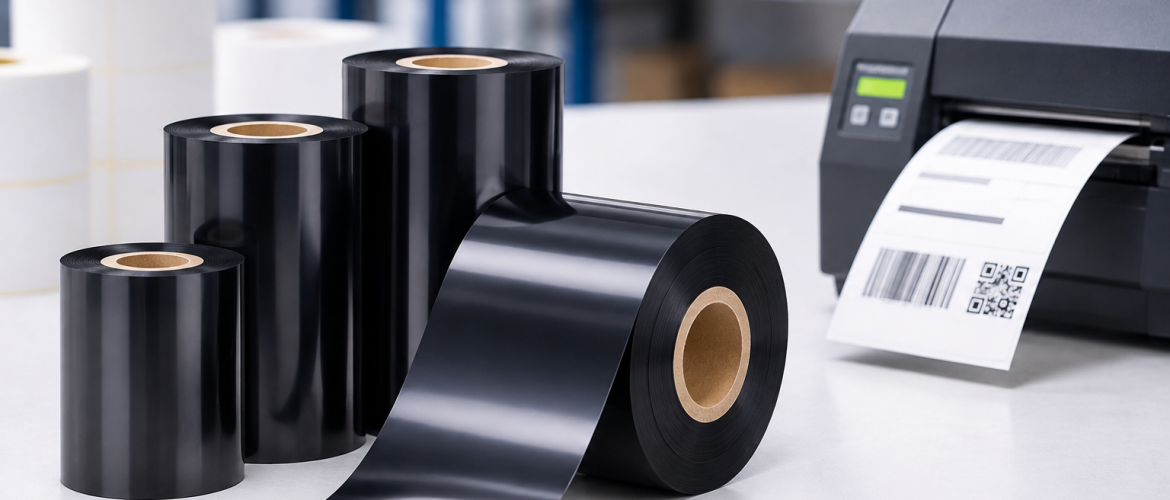
Thermal transfer ribbons are rolls of film coated with ink that a thermal transfer printer melts onto a label to print text, barcodes and graphics. The ribbon is used up as it prints, so it is a regular consumable.
What a Ribbon Specification Includes
A ribbon specification is the set of details that describes one ribbon roll:
- Ribbon type (wax, wax-resin or resin)
- Width
- Length
- Ink side (coated side in or out)
- Core size
- Winding direction
- Printer model or printhead compatibility
Each detail has to match the printer. The type decides print quality on the label material. The remaining details decide whether the roll physically fits and feeds correctly.
1. Ribbon Width
The ribbon should cover the full width of the label and the printhead area used for printing. If the ribbon is narrower than the area being printed, part of the label can print without ink behind it. Check the label width and the printer’s maximum print width, then confirm the ribbon width with your supplier.
2. Ribbon Length
Length decides how many labels one roll can print and how often the ribbon is changed. Longer rolls mean fewer changes, but the printer must be able to hold the roll. Check the maximum roll size the printer accepts before ordering a longer roll.
3. Ink Side: Coated Side In or Out
Ribbons are wound with the ink on the outside or on the inside of the roll. Printers are built for one or the other. The printer manual shows which winding it needs. Ordering the wrong ink side is one of the most common mistakes, because the roll can look correct but will not print.
4. Core Size
The core is the cardboard tube in the centre of the roll. It has to fit the printer’s ribbon spindle. Core sizes vary between desktop and industrial printers, so confirm the core size for your printer model and do not assume that rolls are interchangeable.
5. Winding Direction
Winding describes how the ribbon is wound on the core and which way it unwinds. Like the ink side, it follows the printer design. If a supplier asks for the winding or the ink side, give them the printer model and ask them to confirm.
6. Printer and Printhead Compatibility
Give the supplier the printer make and model. Different printers use different ribbon formats, and some printheads work best with specific ribbon types. When the supplier knows the printer model, the width, core and winding can be checked together. If you are still deciding which printer suits your labels, see our printer selection guide.
7. Match the Ribbon to the Label Material
After the physical fit is confirmed, check the ribbon type against the label. Paper labels, coated labels and synthetic labels may need different ribbons, and the right choice also depends on how long the print has to last and what it is exposed to. Our guide on choosing the right barcode ribbon covers this part in detail.
How to Order Thermal Transfer Ribbons: Step by Step
- Note the printer make and model.
- Measure the label width and check the printer’s maximum print width.
- Check the manual for ink side, core size and winding.
- Note the label material (paper, coated, synthetic).
- Decide how long the printed label must stay readable.
- Send all of this to the supplier and ask them to confirm the match.
- Order a small test quantity before a large order.
Test Before a Bulk Order
Run a short test with the real labels and printer. Check print darkness, barcode readability, smudging and whether the ribbon feeds without wrinkles. Scan the printed barcodes with the scanner your team uses. A small test avoids a large order that does not fit.
Storage and Handling
Store ribbons in their original packaging until needed, away from direct sunlight and heat, and keep the roll clean. Do not leave a loaded ribbon in a printer for long periods when it is not in use if the printer manual advises against it.
Common Ordering Mistakes
- Ordering by ribbon type only and ignoring the width.
- Ordering the wrong ink side.
- Not checking the core size.
- Assuming one ribbon fits every printer.
- Ordering a large quantity without a test roll.
- Not telling the supplier the label material.
Ribbon Ordering Checklist
- Printer make and model noted
- Label width and print width checked
- Ribbon width confirmed
- Roll length suits the printer
- Ink side confirmed
- Core size confirmed
- Winding direction confirmed
- Ribbon type matched to label material
- Test roll printed and scanned
- Reorder quantity planned
How Label Tech UAE Can Help
Label Tech UAE supplies barcode ribbons together with barcode and label printers, printed labels and barcode printing services for businesses in Dubai and the wider UAE. Sending the printer model and label details with an enquiry lets the right ribbon be matched to the printer. To enquire, visit our barcode ribbons page or contact Label Tech UAE.
Conclusion
Choosing the right Thermal Transfer Ribbons starts with the printer, not the ribbon. Check the width, length, ink side, core and winding against the printer manual, match the ribbon type to the label material and test a roll before ordering in bulk. A correct specification prevents wasted orders, failed prints and printer downtime.
Frequently Asked Questions
What are thermal transfer ribbons?
Thermal transfer ribbons are ink-coated films used in thermal transfer printers. The printer heats the ribbon so the ink transfers onto the label.
What details do I need to order a thermal transfer ribbon?
The printer make and model, label width, ribbon width, length, ink side, core size, winding and the label material.
What does ink side in or out mean on a ribbon?
It describes whether the ink coating faces the inside or outside of the roll. The printer is built for one of them, so check the printer manual.
Should the ribbon be wider than the label?
The ribbon should cover the full printed area of the label. Confirm the exact width with your supplier for your printer.
Can one ribbon fit all label printers?
No. Core size, width, winding and printhead requirements vary between printers.
Do I need to test a ribbon before a bulk order?
Yes. A test roll shows print quality, barcode readability and feeding on your real labels and printer.
How do I choose between wax, wax-resin and resin ribbons?
The choice depends on the label material and how long the print must last. See our guide on choosing the right barcode ribbon.
