

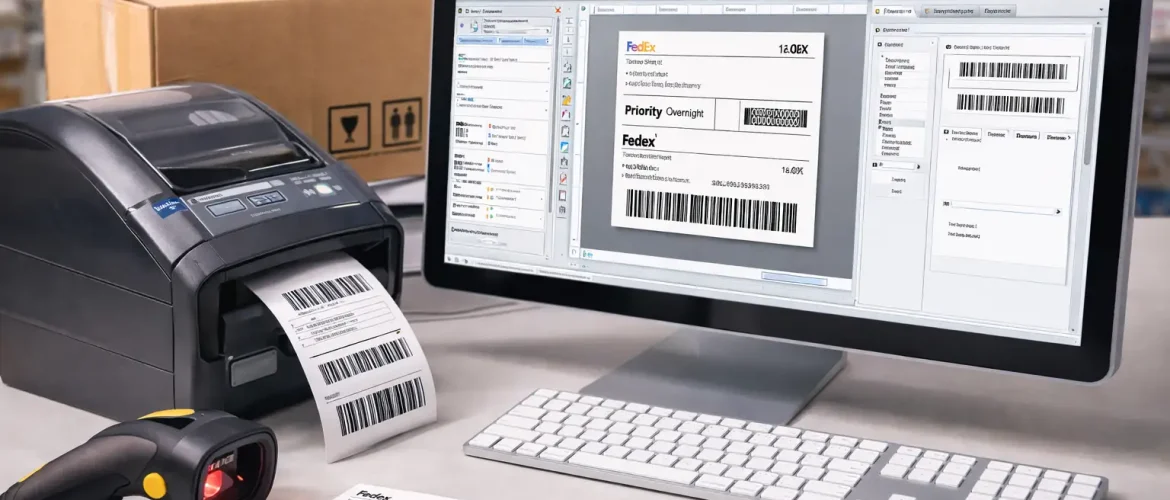
In the fast-paced world of logistics, inventory management, and product shipping, accurate and efficient labeling is a must. Whether you’re a small business owner or a large corporation, label printing software is an invaluable tool that can simplify your processes and save you time. This guide will walk you through what label printing software is, its key features, how it integrates with barcode systems, and how businesses can improve efficiency by using the right tool.
What Is Label Printing Software?
Label printing software is a tool designed to help businesses create, print, and manage labels. It provides a streamlined solution to generate shipping labels, product labels, barcodes, and more. These software tools are often equipped with various templates, design capabilities, and integration features that allow for high-quality, accurate label creation.
By automating the labeling process, businesses can save valuable time, reduce human error, and ensure consistency across all labels. Whether you’re printing labels for products, packaging, or shipping, this software ensures your labels are aligned with industry standards.
Must-Have Features of Label Printing Software
To get the most out of your label printing software, look for these essential features:
1. User-Friendly Design Tools
Most label printing software offers an intuitive design interface with drag-and-drop functionality, which allows you to create custom labels quickly and easily. You can design labels from scratch or choose from pre-built templates for common use cases such as shipping labels, product tags, and more.
2. Barcode Generation
Generating barcodes is one of the key features of label printing software. The software can generate various types of barcodes, such as Code 128, QR codes, EAN-13, and more, depending on your business needs. This is particularly important for businesses in logistics, retail, or warehousing, where barcodes are essential for tracking and inventory management.
3. Database Integration
Many label printing software tools integrate with your existing database or inventory management system. This allows you to automatically populate your labels with data such as product names, prices, serial numbers, and more. This integration ensures accuracy and reduces manual data entry.
4. Customizable Templates
Most software provides a variety of pre-made templates to get started. However, you can also create your own templates to match your specific branding or industry needs. This flexibility ensures that your labels are not only functional but also aligned with your brand identity.
5. Multi-Printer Support
The best label printing software supports a range of printers, including desktop, industrial, and mobile printers. This ensures that you can print labels on different types of devices, depending on your production or shipping requirements.
How Label Printing Software Integrates With Barcode Systems
Label printing software is essential for businesses that rely on barcode systems for tracking products, inventory, or shipments. Here’s how it works:
1. Automates Data Population
The software can automatically pull data from your inventory or warehouse management system to create the correct labels. This helps reduce human error and ensures that each label is accurate and up-to-date.
2. Barcode Generation and Scanning
Label printing software allows you to generate barcodes that are scannable by barcode scanners. Whether it’s a UPC code for a retail item or a QR code for a marketing campaign, the integration between the software and barcode scanners ensures that your items are easily traceable.
3. Real-Time Tracking
For businesses that deal with large volumes of products or shipments, real-time barcode tracking is essential. When your label printing software is integrated with your barcode system, you can track inventory in real time and ensure that products are being processed, shipped, or received as expected.
Benefits of Using Label Printing Software
There are many advantages to using label printing software, including:
1. Increased Efficiency
By automating the label creation process, you save time on manual tasks. Software integration with your inventory system also ensures faster label printing and reduces the need for manual data entry.
2. Improved Accuracy
Label printing software eliminates human error, ensuring that every label is accurate. This is particularly important in industries where labels must comply with strict regulatory standards, such as pharmaceuticals or food and beverage.
3. Cost Savings
By improving efficiency and reducing errors, businesses can cut costs associated with labor, printing errors, and lost products. Label printing software also reduces the need for outsourcing, as it empowers in-house teams to handle labeling on demand.
4. Professional-Quality Output
With advanced design features, label printing software ensures that your labels are visually appealing and consistent across all printed materials. This is important for brand recognition and customer satisfaction.
Best Practices for Label Printing
To make the most of your label printing software, follow these best practices:
1. Standardize Label Designs
Create a set of standardized label templates for each product, shipment, or packaging type. This ensures consistency and reduces the chances of errors during label creation.
2. Test Before Printing in Bulk
Always test your labels before printing large quantities to make sure everything is aligned, readable, and formatted correctly.
3. Maintain Regular Software Updates
Regularly updating your label printing software ensures that you have access to the latest features and security patches.
4. Train Your Team
Ensure that everyone involved in the label printing process is properly trained to use the software and understand its features.
Conclusion
Label printing software is an invaluable tool for businesses looking to streamline their labeling process, improve efficiency, and reduce errors. With the right software, you can automate label creation, integrate with barcode systems, and ensure that your labels are of the highest quality. By understanding the must-have features, benefits, and best practices, businesses can make an informed decision and select the label printing software that best suits their needs.
